Strapi v4 stopped getting security patches in April 2026. Here’s your v5 migration guide: what it means for your role, backed by dozens of Strapi migrations we’ve run.

Not a feature list. Here’s exactly what each of these means for your day-to-day work.
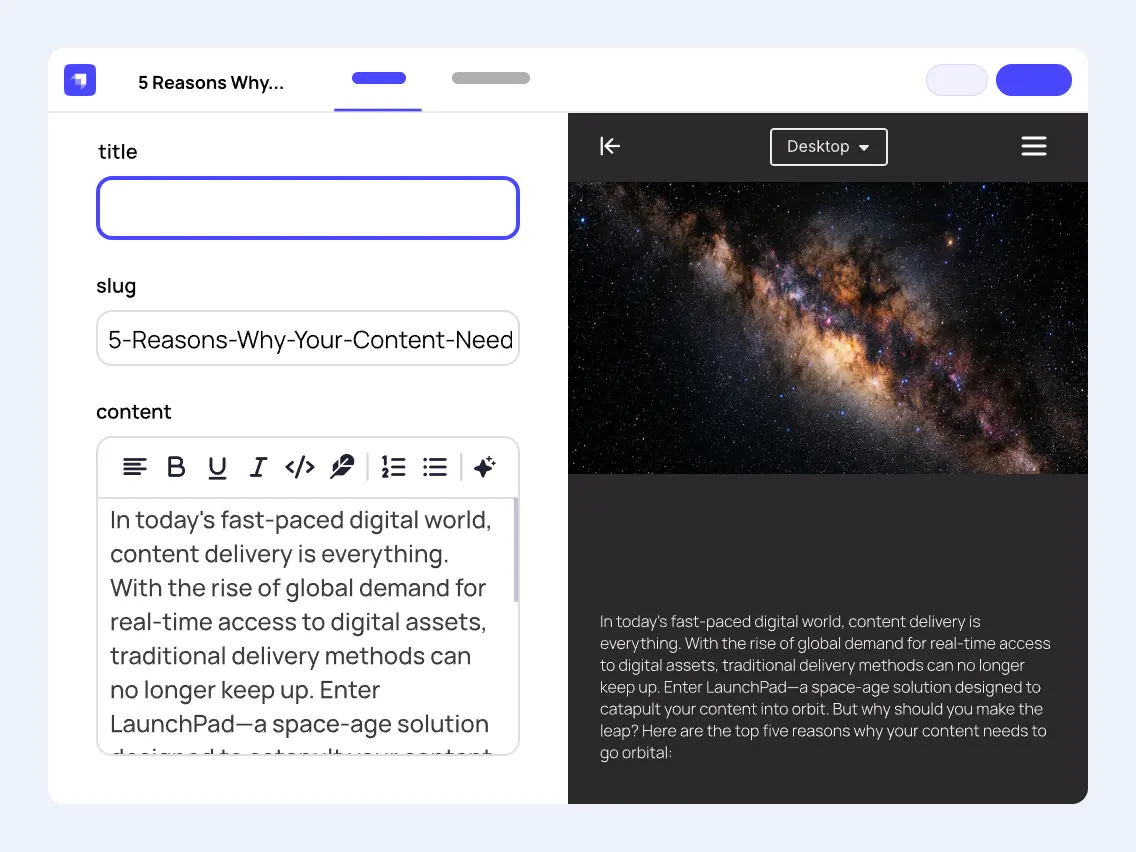
You used to save a change and only find out how it actually looked once it was already live, or after a colleague pointed out the mistake. Now side-by-side editing shows the real page updating right next to your edits, and you can click straight into a block to change it there. That whole cycle of publish, check, fix is gone.
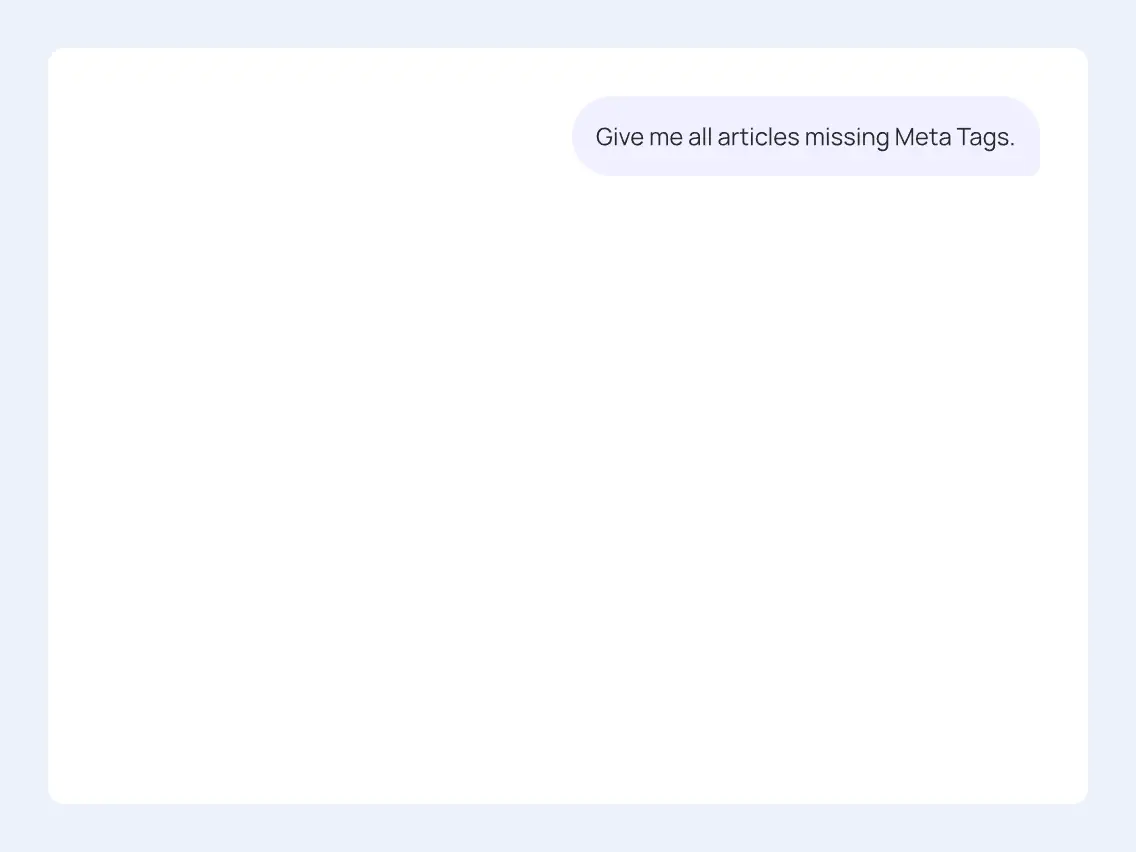
Strapi 5 has MCP built in, so you can connect Claude, ChatGPT, or your preferred AI tool directly to your content. Let it handle the repetitive parts, formatting, structuring, updating fields, so you spend your time writing what actually matters to your readers, not fighting the CMS.
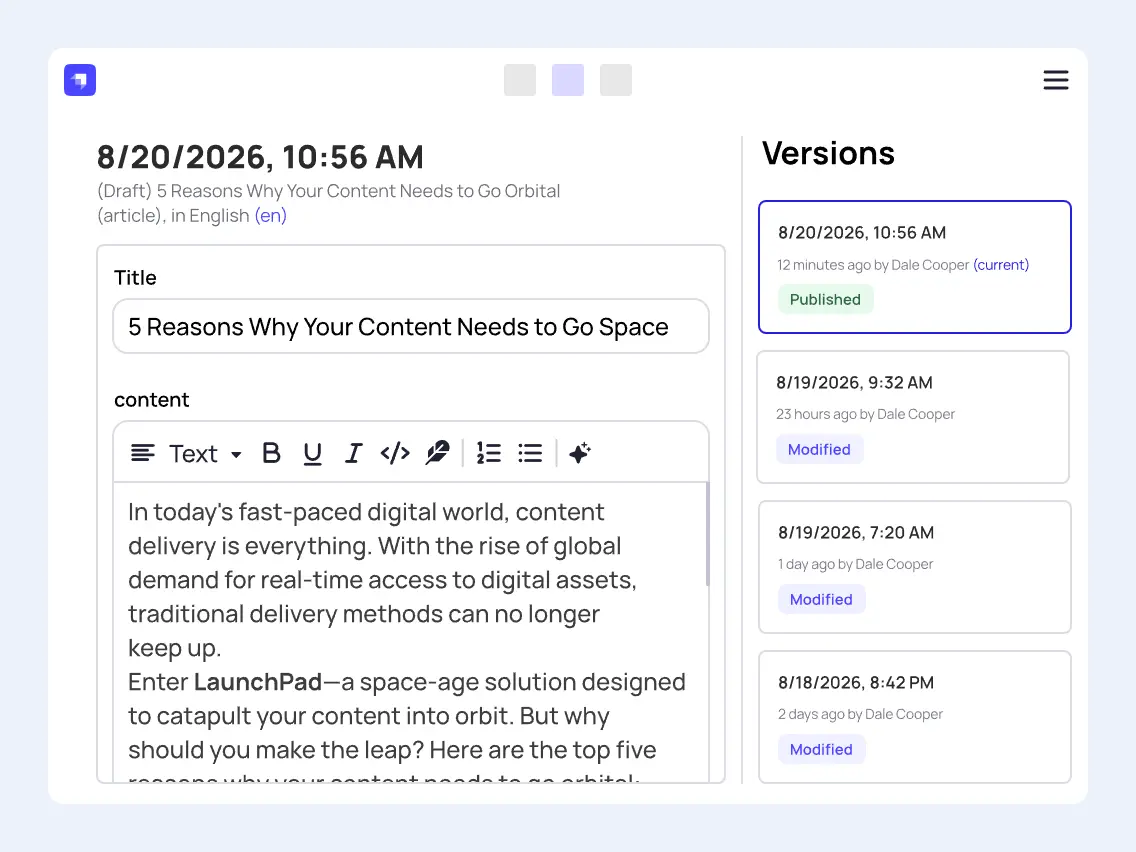
We all make mistakes. The difference now is you can undo yours before anyone else ever sees them. Every version of every entry saves automatically as you work, so nothing is lost. Publish the wrong thing, or want an earlier version back? Restore it yourself with one click, no developer digging through backups required.
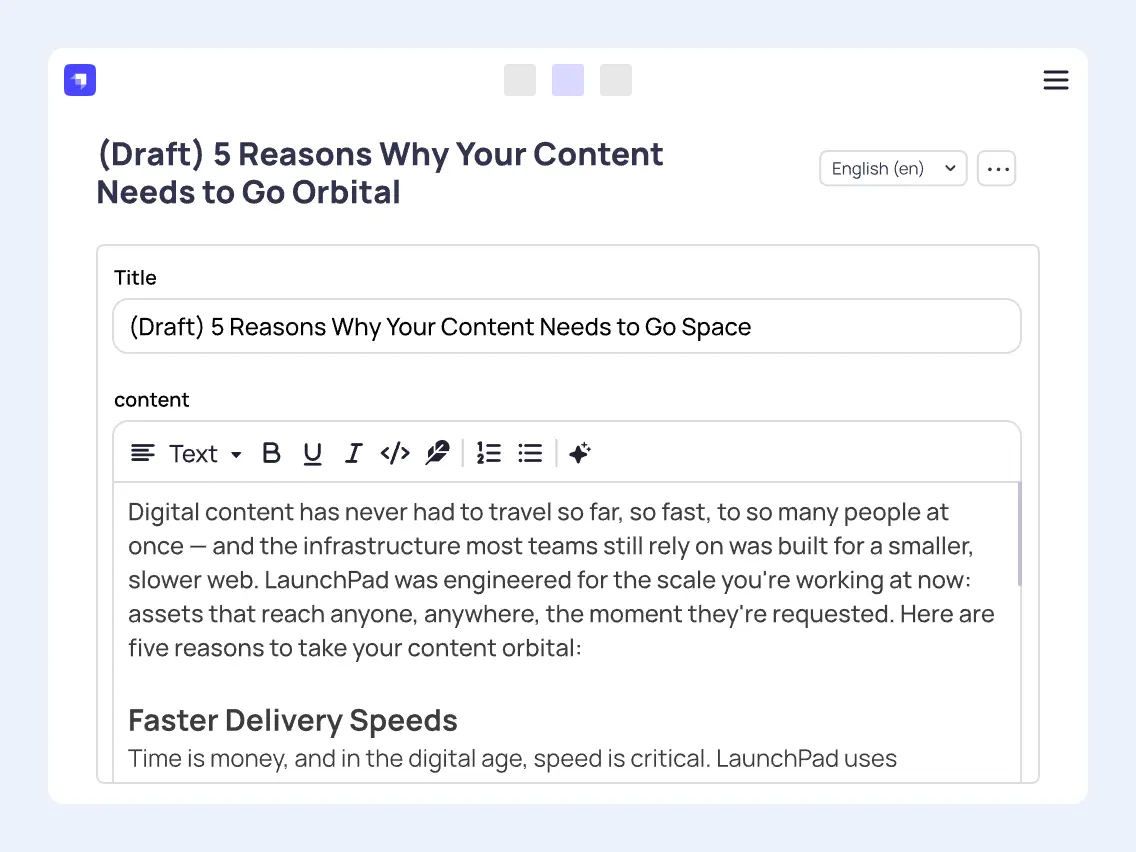
If you publish in English and one other language, there’s no plugin to install to keep them in sync. The switcher is already built in and stays with you across content types, so managing both versions is just part of editing, not a separate task.
The real wins and the real friction, no sugarcoating.

Strapi 5 is TypeScript-first, not typed after the fact. That means real autocomplete and compile-time error catching as you write code, not types bolted onto an old codebase.
It’s the concrete improvement independent reviews single out most, faster and more predictable, though also less forgiving of loose code than v4 was.

There have been no bug fixes since October 2025, and no security fixes since April 2026. That’s the fact actually driving the timeline here, not a sales angle.
Whatever else changes in v5, this is the one that puts a real deadline on the decision.

API responses are flattened now, no more digging through a data.attributes wrapper just to get to your fields. That’s a real improvement to work with going forward, but it’s also a breaking change for every existing integration that expects the old shape. Strapi ships a v4 compatibility header to ease the transition, but every consumer still needs a look.
The same theme runs through the rest of the stack: v4 plugins don’t carry over, any custom or third-party plugin needs a rebuild, and you’ll need an Active LTS Node.js release (currently v22, v24, or v26) plus the mysql2 driver if you’re on MySQL.

Drafts, locales, and versions now unify under one documentId concept instead of separate rows for each. It’s the single biggest architectural change in v5, and the strongest thing about it.
It’s also the part most likely to break your lifecycle hooks, middlewares, and integrations. In one independently documented migration, this exact category of work took roughly 120 of the total 200 hours spent. Budget accordingly.
Not a pitch. A straight read on risk and cost.

Strapi, the software running your website’s content, stopped receiving security fixes in April 2026. If a vulnerability surfaces in it from here on, there’s no fix coming, from Strapi or anyone else. That’s not a future risk, it’s a live gap sitting on your infrastructure right now.

The real cost concentrates in custom work, and that pile grows every month you wait. Moving now, on your schedule, is calmer and cheaper than moving later as a scramble.

If your company’s already investing in AI to work more efficiently, this closes a real gap, content publishing is probably one of the places those efforts don’t reach yet. Strapi 5 lets your team connect the AI tools they already use directly to the CMS, so publishing becomes part of that same efficiency effort instead of sitting outside it.

Still free, open-source, and running on standard databases. Nobody’s pushing you into a proprietary platform to make this move. If you’re weighing whether this creates a new dependency you’ll regret later, it doesn’t, your exit options stay exactly as open as they are today.
Chosen from dozens of Strapi CMS upgrades we’ve shipped. Even one for the Strapi company itself.

Lighthouse score increase
Page load times
"Notum handled our Strapi v4 to v5 migration end to end. They left us with a site that’s faster, easier to manage, and ready for new Strapi features."

Head of Marketing, Meilisearch


Faster content creation
Years of maintenance duration
"Notum feels like an extension of our team. They shipped fast, fixed things before we asked, and made the site better every month."

VP Marketing, Strapi

Faster average page loads
API calls speedup
"We were concerned that the upgrade might hurt our search rankings. Instead, our pages load 43% faster and our search visibility actually improved."

CMO, Terapie
Six crucial steps of Strapi upgrade, the most common challenges for each one, and how we solve them.
1
Codebase, dependencies, and backups.
Hidden dependencies between connected apps and outdated plugins are easy to miss until they break something downstream.
We know exactly where dependencies in Strapi hide. We choose the right replacement plugin, or build a new one when nothing fits.
2
Automated codemods plus manual cleanup.
Codemods handle the standard patterns automatically. Custom code needs a developer who understands Strapi's new architecture underneath.
We know the tool’s blind spots and Strapi’s source code inside out, so nothing slips through unflagged. We replace plugins when needed, instead of patching around them.
3
Schema updates and data migration.
A rushed data migration risks corrupted records or silent data loss during the format change.
Our internal migration tool moves your data and double-checks every record against the original.
4
Direct updates, or clear docs to do it yourselves.
Moving every client to the flattened payload at once risks breaking production for all of them.
We give you clear guidelines to update your API clients, handle the updates ourselves, or adjust Strapi itself when that's the only fix.
5
APIs, permissions, content delivery.
Relations, components, and media can silently break under the new format and go unnoticed until users hit them.
We run every upgrade through our own Strapi testing tool, backed by an experienced QA and content validation team.
6
Ship via CI/CD to production.
A rushed go-live raises the odds of downtime, and a messy rollback plan makes a bad moment worse.
We pick the deployment path with the lowest downtime, prepare a rollback plan, and support you across Azure, AWS, or Google Cloud.
.svg)
We earned that after delivering 50+ web projects from the USA to Japan, for clients like AXA Siemens, Konica Minolta, and Lokalise, plus Strapi's own website.
.svg)
One Strapi development team handles code, migration, SEO, UX, MVP, performance, and hosting, so nothing slips through the cracks between vendors.
.svg)
You talk directly with the senior engineers, not an account manager relaying messages. Every project gets at least two senior engineers, all working from one location.
Strapi 5 came out in September 2024. The biggest change sits under the hood: the new Document Service API keeps drafts, locales, and versions under one ID, and API responses drop the old data.attributes wrapper. Editors get Live Preview, Content History, and built-in Model Context Protocol (MCP) support, so they can connect the AI tools they already use. The codebase is TypeScript-first, which means your developers catch more errors before they ship.
Not for long. Strapi stopped fixing bugs in v4 in October 2025 and stopped shipping security fixes in April 2026. Your site keeps running, but if someone finds a vulnerability tomorrow, nobody patches it. Meanwhile your custom code keeps growing, and every month you wait makes the migration bigger.
Strapi ships an upgrade tool (npx @strapi/upgrade major) that updates your dependencies and rewrites the standard code patterns for you. That covers the easy part. Custom plugins, lifecycle hooks, middlewares, and every app that reads your API still need a developer who knows the new architecture. We run every migration in six steps, and you can see each one, with its typical pitfalls, in Our Approach to Every Strapi Upgrade Project.
No. You go through v4 first, because the jump from v3 to v4 is its own migration with a new database structure and a new plugin system. If you're still on MongoDB, you also need to move to a SQL database, since Strapi dropped MongoDB support in v4. We can plan both jumps as one project, so you get one timeline and one team.
You need an Active Long-Term Support (LTS) release of Node.js, currently v22, v24, or v26. For the database, Strapi 5 supports PostgreSQL, MySQL 8, MariaDB, and SQLite. MySQL 5.7 isn't supported anymore, and on MySQL you need the mysql2 driver. If your hosting runs older versions, plan that upgrade before the Strapi one.
It does for now, but Strapi marks it as deprecated and plans to remove it. The Document Service API replaces it. Most v4 projects call entityService from custom controllers, services, and hooks, which is why this part usually takes the most developer time. In one independently documented migration, it took about 120 of the 200 hours spent in total.
It depends on how much custom code you have. A mostly default setup takes about 12 weeks, while a heavily customized one can take up to 23 weeks, and the price follows the same logic. The quickest way to find out is the four-question form below. You get a rough estimate on effort and cost, and you don't need a call.
It won't, as long as your URLs, metadata, and redirects stay under control during the move. Terapie.cz worried about exactly this. After the upgrade, their pages load 43% faster and their search visibility went up. We check SEO as part of testing, before anything goes live.
Yes. If you want Strapi to manage your infrastructure, we can move you to Strapi Cloud during the migration. If you'd rather stay self-hosted, we work with Azure, AWS, and Google Cloud.
Open your admin panel and go to Settings > Overview, or run npm list @strapi/strapi in your project folder. If the version starts with 3 or 4, it's time to plan the upgrade.
Answer four quick questions or grab 20 minutes with a technical consultant. Either way, you'll know what migrating to Strapi 5 actually involves for your company. Free of charge, no commitment.
Spend 20 minutes with one of our technical consultants, walking through a checklist built from dozens of real Strapi migrations, including Strapi's own website and clients like Meilisearch. You'll leave the call knowing exactly what to watch out for, and roughly what it would cost if Notum handled it, whether you decide to hire us or not.